Sandcastle Beach Customization
Starfish unlock sand type, layout, and size across Sandcastle shores.
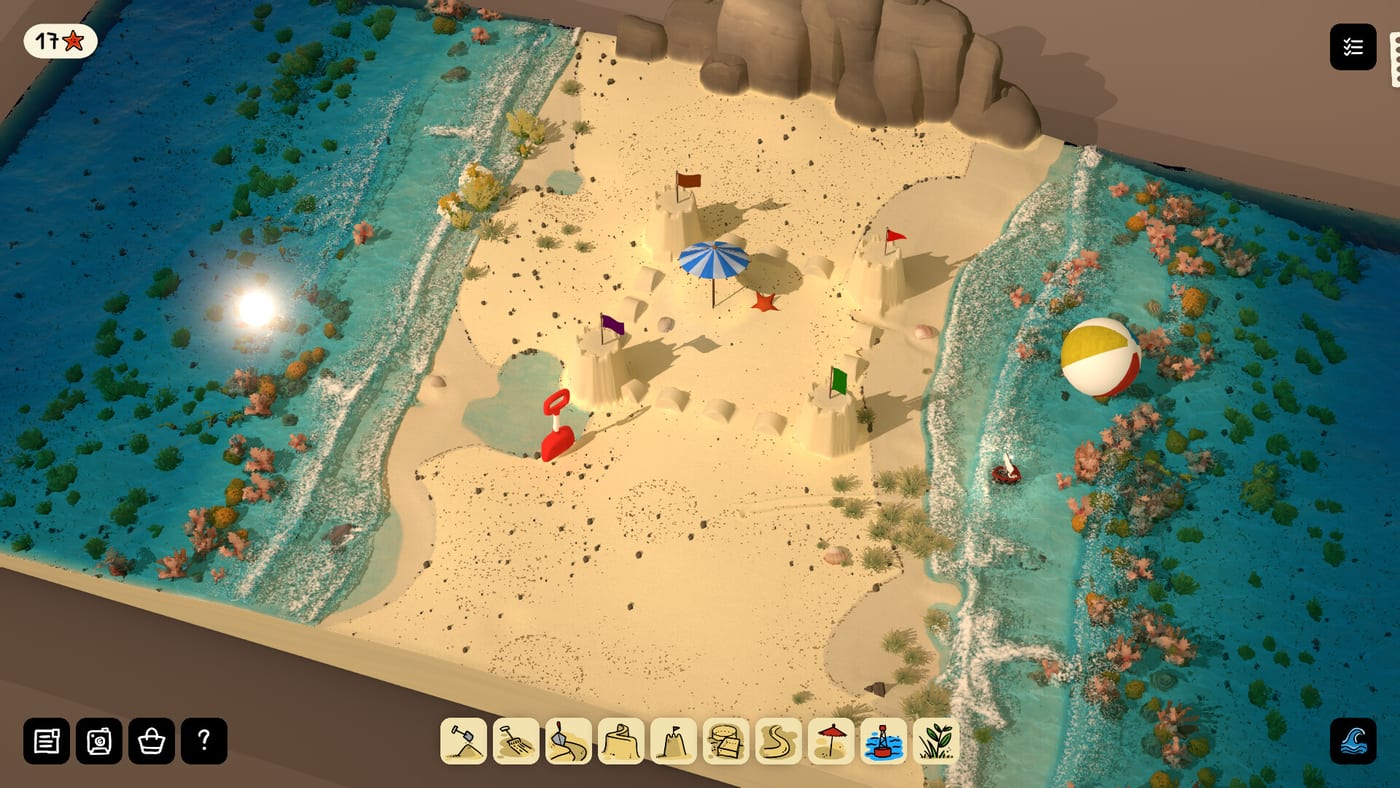
Customization overview
Sandcastle ties replayability to beach customization unlocked by collecting starfish along the shore. Bubblebird Studio and Future Friends Games describe progression on Steam: gather starfish to unlock sand type, beach layout, and size options among roughly ten layouts in the full game to be announced. The demo (August 2026) exposes this loop on Base Beach and Barrier Beach so you can preview menus before the complete roster ships.
Customization changes how sessions feel—fetch geometry, wet bands, carving room—without replacing Sand Physics fundamentals. Think of unlocks as new canvases and sand palettes, not cheat codes.
The three unlock pillars
Sand type
Store bullets mention sand type as a starfish reward. Different sands may alter compaction feedback, color, or grain appearance while obeying the same moisture and pressure rules in Moisture and Stability. After unlocking a new type, rebuild a coupon wall test strip before committing to a megaproject—subtle feel shifts still affect slump timing.
Beach layout
Layout unlocks switch among demo shores and future destinations like Lagoon Beach, Island Beach, Delta Beach, Atoll Beach, and planned Sandbar Beach. Each layout presents unique fetch and footprint constraints documented on the Beaches Hub. Switching layouts mid-save may invalidate moats tuned for smaller footprints—re-run Carve Moats planning after size or layout changes.
Size
Size options adjust playable canvas scale per marketing text. Larger beaches invite wide curtain walls; smaller beaches demand compact keeps like those recommended for sandbar and island prep. Size interacts with Foundation Tools strategy: more landward staging room on large maps, tighter packing on small ones.
How starfish drive unlocks
Starfish are the progression currency—see Starfish Collectibles for spawn habits and Find Collectibles for efficient laps. Pick up starfish during retreating tides before moat cuts erase tideline geography. On Barrier Beach, check lee pockets behind default berms.
Starfish unlock menus, not Digging Tools or Carving Tools verbs. Tools still roll out through demo pacing described in How to Play.
Demo versus full game scope
Demo customization proves the loop on two layouts. Full-game customization should extend to the complete beach roster, additional hidden objects, and announced ambient life (Creatures Hub). Bubblebird Studio has not fully documented demo-to-full save transfer—watch Demo vs Full Game and Updates Hub for save policy news.
Customization workflow for new players
- Install the demo via Demo Download
- Complete one Base tide cycle with a packed core
- Walk a starfish lap before heavy moat terraforming
- Open customization UI and note sand type, layout, and size buckets
- Switch to Barrier only after Protect From the Tide basics stick
- Re-test defenses with the Tide Defense Checklist after every layout or size change
Interaction with decoration
Shore Treasures and the Decorate Guide layer cosmetics after structural tide tests. Customization picks the stage; driftwood, shells, pebbles, and seaweed dress the set. Do not confuse starfish unlocks with shore treasure pickups—they are parallel collectible tracks on the Collectibles Hub.
Steam Deck and mouse-only play
Customization menus should remain accessible on Steam Deck with mouse-only options Steam lists for Windows, macOS, Linux, and Deck. See Steam Deck Guide for cozy pacing and readability tips without inventing performance numbers.
Daylight and presentation
Trailers show beaches under shifting daylight with reactive water (Daylight Cycle). Customization swaps geography and sand palette; lighting cycles continue globally. Screenshot builds at multiple times of day after unlocking new layouts to learn shadow and foam readability.
Common mistakes
- Unlocking Barrier size before learning Base compaction
- Carving battlements immediately after a layout switch without a tide test
- Assuming new sand types ignore Tide Erosion rules
- Hunting starfish only on one beach when both demo layouts spawn them
Future patches
Menu labels and unlock counts may change during demo weeks post Demo Launch Update. Revisit this page after Steam news; customization is live design space for Bubblebird Studio during early visibility.
Closing synthesis
Beach customization is Sandcastle’s gentle progression spine—exploration rewards that reopen the sandbox on new terms. Collect starfish calmly, test small after every unlock, and treat the demo as a preview of the full game’s layout variety when release leaves TBA.
Frequently Asked Questions
Quick answers drawn from the same systems covered above.
What do starfish unlock?
Steam store text lists sand type, beach layout, and size customization options tied to starfish collection.
Can I customize beaches without starfish?
Demo includes default Base and Barrier access. Starfish expand options beyond defaults per marketing materials.
Does customization change physics rules?
No. Sand type and layout alter geometry and feel within the same simulation described on the Build Hub.
Will full-game layouts appear in the demo menu?
Only if unlocked and implemented in your build version. Lagoon, island, delta, atoll, and sandbar are planned for the full game TBA.
Do starfish unlock creatures?
No announced link. Creatures are separate full-game teases documented on Collectibles creature pages.
Where is the customization menu?
Exact UI labels appear in-game and may evolve. Collect a starfish first to expose menu entries in the demo.