Sandcastle Tools Hub
Dig, carve, and defend with the demo toolset.
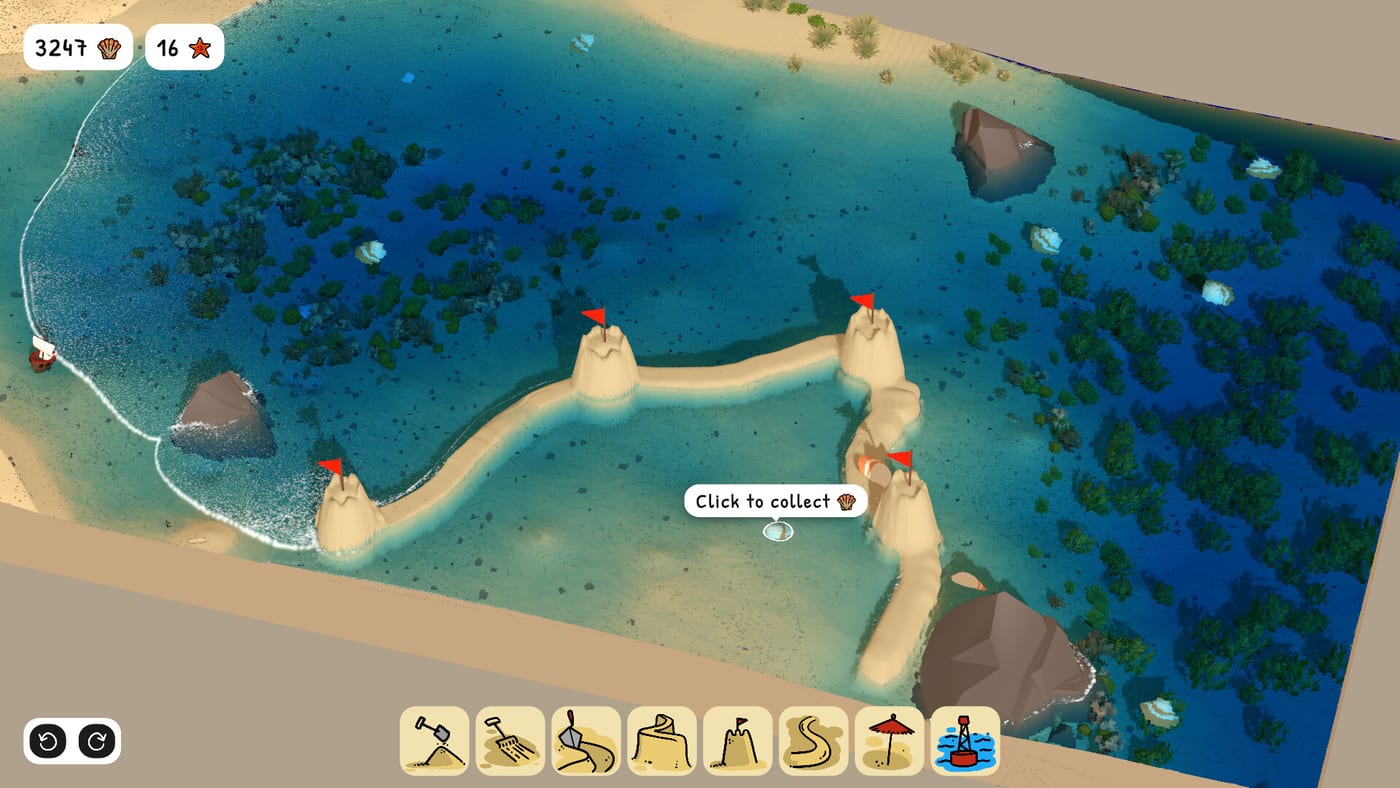
Tools and the sand simulation
Sandcastle tools are extensions of the moisture-and-pressure simulation described on Steam. You do not place prefab blocks; you move, compact, and sculpt sand that behaves like wet beach material. Bubblebird Studio unlocks implements gradually in the demo so you learn cause and effect before tackling Barrier Beach fetch.
This hub links the wiki tool pages plus an interactive checklist. Pair tool knowledge with Sand Physics when results surprise you.
Digging, foundation, and carving
Digging modes excel at volume: raising cores, cutting moat trenches, and relocating sand quickly. Foundation Tools cover wet-sand pads, berm staging, and compaction before vertical ambition. Carving modes refine edges, battlements, stairs, and cosmetic textures. Most failed projects come from using only one mode—read Digging Tools, Foundation Tools, and Carving Tools for when to switch.
Defense-oriented tooling
Moats are carved, not placed from a catalog. Channel geometry interacts with tides (Tide Erosion). After major cuts, run the Tide Defense Checklist—it embeds a live <TideDefenseChecklist locale="en" /> component mid-article for berm, spillway, and corner audits.
Guides that assume tools
How to Play introduces the loop. Build Strong Walls and Carve Moats reference specific tool habits. Building Tips covers session pacing while switching modes.
Collectibles and embellishment
Tools do not spawn decorations. Gather Shore Treasures on foot, then place during calm between tides. Starfish unlocks (Starfish Collectibles) change beach settings but not tool roster in the demo.
Controls reminder
Exact bindings appear as in-game prompts; see Controls for mouse-only and Steam Deck notes. We avoid listing unverified keys here because patches and platforms differ.
Full game outlook
Steam promises many tools for precision crafting in the full release TBA. Demo tools represent the core set—expect additions with new beaches (Beaches Hub) rather than a separate tool meta-game.
Suggested reading order
Tool unlock pacing in the demo
Expect introductory digging before specialized carving or moat shaping appears in UI. If a tool seems missing, continue a short build cycle—Sandcastle teaches verbs when they become relevant rather than dumping the full toolbar immediately.
Interaction with starfish unlocks
Starfish change beaches and sand types (Starfish Collectibles) but do not replace tools. A new beach may demand different moat angles while using the same digging family you learned on Base Beach.
Teaching others
Because there is no multiplayer co-build, pair sessions use voice chat while each player runs their own demo. Share checklist links instead of calling out unverified hotkeys.
Frequently Asked Questions
Quick answers drawn from the same systems covered above.
Are all tools available immediately?
The demo introduces tools over time. Revisit this hub as new implements appear in your session.
Do tools consume resources?
No energy or currency system is described. Tools interact directly with sand and water.
Can tools break from use?
No durability system appears in demo materials.
Is there a creative mode with infinite tools?
The sandbox already avoids fail states. Tool access may still follow demo progression.
Where does the checklist tool live?
Open the Tide Defense Checklist page under Tools for the embedded interactive component.